Notion Workout Tracker: Exercises and Progress
Keep your actual training records in one place so you can review what you did without relying on memory.
Create a session tracker
A Notion workout tracker is a database of dated workout sessions with exercise notes. Start with the session date, name or split, duration and a short note. Then open each session to log the exercises and the sets you actually completed. This is a record-keeping workflow, not an exercise prescription.
- Create a Workouts table with Name, Date, Split, Duration and Notes properties.
- Use a consistent split label if you already follow a plan, such as Push, Pull, Legs or Core, or your own categories.
- Create a database page template with an exercise-log table for exercise, set, repetitions, weight or other relevant measure, and notes.
- Add a recent-session view filtered by date and a calendar view if you need to see when sessions happened.
Log a worked example
Suppose you want to record two already completed sets. The numbers below are invented sample records, not recommended weights or a training plan.
| Exercise | Set | Repetitions | Recorded load |
|---|---|---|---|
| Example exercise A | 1 | 8 | 10 kg |
| Example exercise A | 2 | 8 | 10 kg |
Next time, the previous entry gives you context for what you did. Record any changed setup, units or notes so you are not comparing unlike sessions. Do not use a single number as a measure of health or an obligation to increase training load.
Use Strength Training Hub instead of building from scratch
Our Strength Training Hub: Plans, Splits, Progress. is listed as Free in the current site catalog. It already includes a Workouts database with type, split, exertion, date, duration and calories fields, a Past Week Workouts view and a per-date exercise log in the WORKOUT page template.
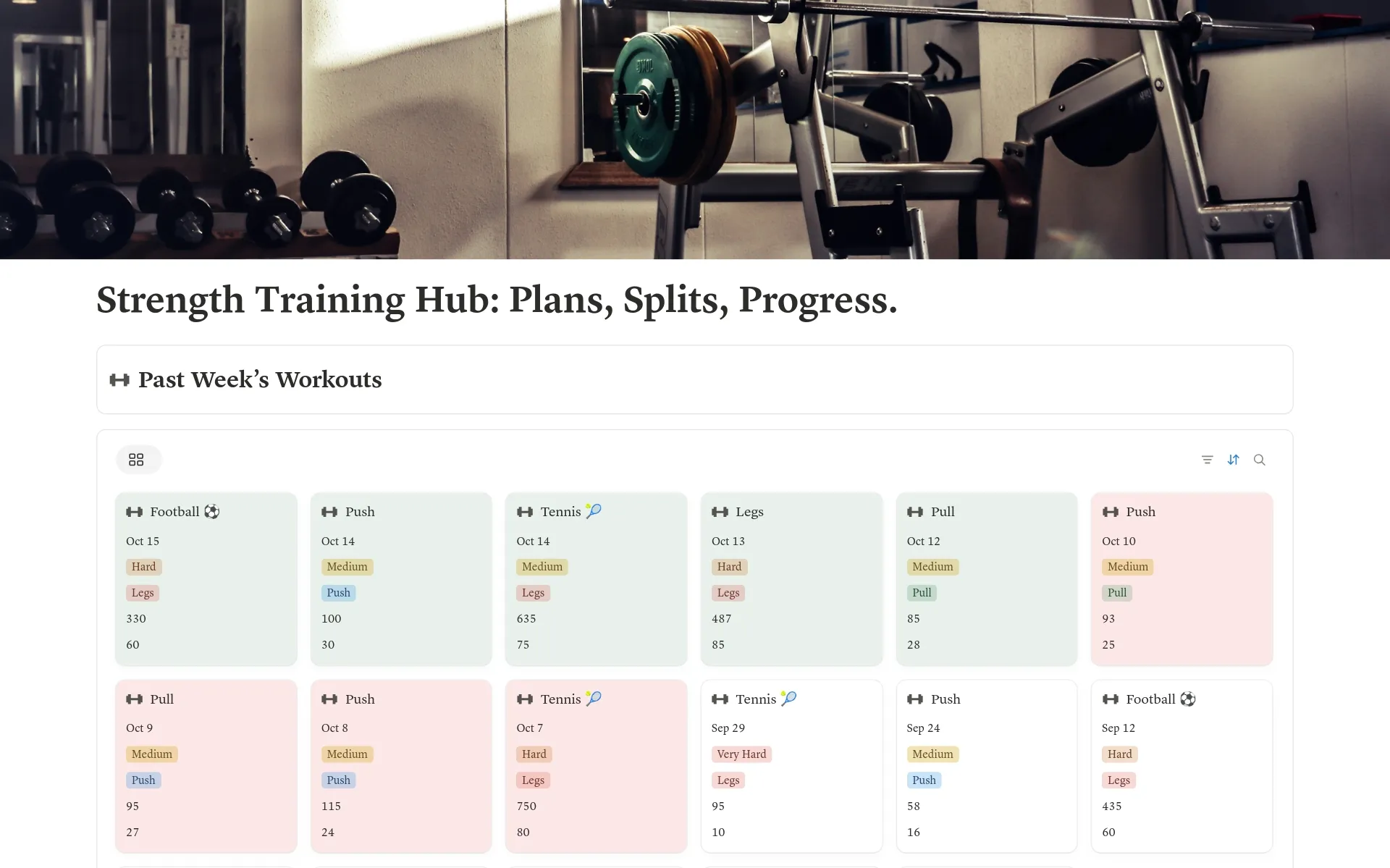
Open the Strength Training Hub detail page, follow its official acquisition link and choose the language and workspace available to you. Once duplicated, open the Workouts database and inspect its existing page template before adding your first real session. Acquisition and duplication were not tested here.
Review recent training records
The template's Past Week Workouts view shows the sessions you have logged in the last seven days. Open a recent session to compare the actual exercise notes with another session. A short weekly review can ask: Which sessions did I record? Are the entries complete? Did I use consistent units? Is anything missing from my own plan?
Session duration, exertion and calories are manual fields. The tracker does not measure them automatically or connect to your fitness device. Its embedded timers, habit tracker, weekly review and other widgets are supplementary; they do not automatically modify the Workouts database. Keep the actual session data in Notion.
Keep the log usable at the gym
- Before a session, identify where new entries go.
- Afterwards, enter the date and the information you intend to compare.
- Open a sample record on your phone and check that useful fields and notes are reachable without excessive scrolling.
- Review existing entries instead of duplicating the same workout into several databases.
For a broader dashboard with wellness check-ins and activity notes, see our fitness and wellbeing dashboard guide.
Common questions
Is Strength Training Hub free?
The current catalog lists it as Free. Check the official destination for current pricing, access and available languages.
Does the tracker record my workout automatically?
No. Enter the session and exercise details manually; it is not a fitness-device integration.
Do I need to log calories?
The template includes a calories field, but you can leave optional fields unused if they are not relevant to your own record keeping.